
Download M3U Dropper – playlist creator, music manager, drag and drop, m3u playlist, music playlist tool
Overview
M3U Dropper is a streamlined utility designed for users seeking a fast and efficient way to create and manage music playlists. Built specifically for the Windows platform, this lightweight application focuses on simplicity and functionality, enabling users to generate M3U playlists with minimal effort. Its core purpose lies in bridging the gap between local music files and web-based audio streams, allowing users to compile a cohesive playlist from diverse sources. Whether organizing personal music collections or preparing audio for events, M3U Dropper provides a no-frills solution for playlist creation.
The app is particularly suited for individuals who value speed and control without the overhead of complex software. Target users include casual music listeners, content creators, DJs, and anyone needing to quickly assemble audio content for playback. While the developer did not provide detailed background information, the app’s long-standing presence since its release on October 15, 2012, suggests a stable and proven utility in the productivity space. Real-world use cases include preparing background music for presentations, curating audio for podcasts, or organizing music libraries for portable playback devices.
Within the broader ecosystem of music tools, M3U Dropper occupies a niche as a dedicated, lightweight playlist generator. Unlike full-featured media players, it does not play audio directly but instead focuses on playlist creation, making it a complementary tool for users who already have a preferred media player. This specialization enhances its efficiency and ensures it remains responsive and unobtrusive on older or low-resource systems.
Key Features & Functionality
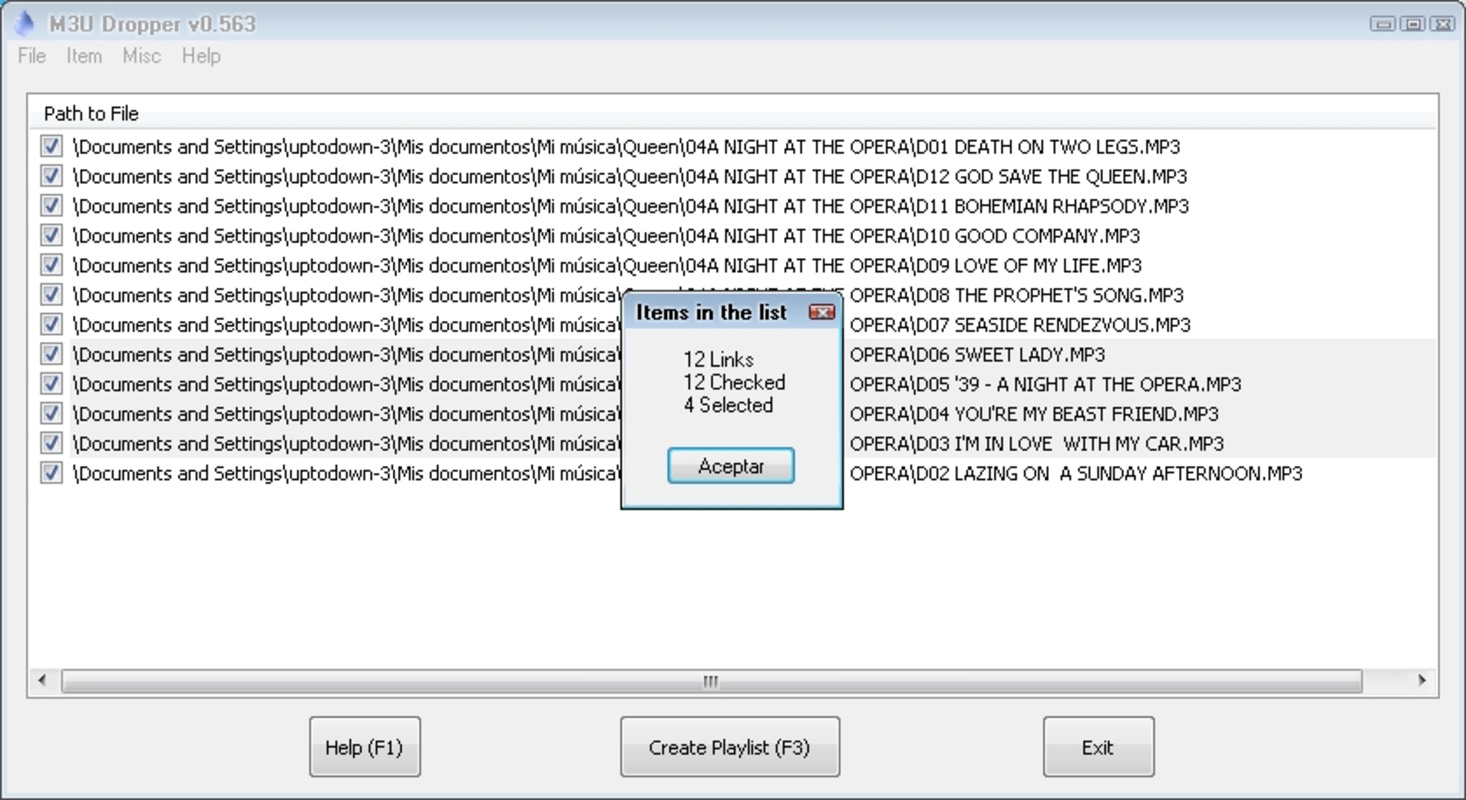
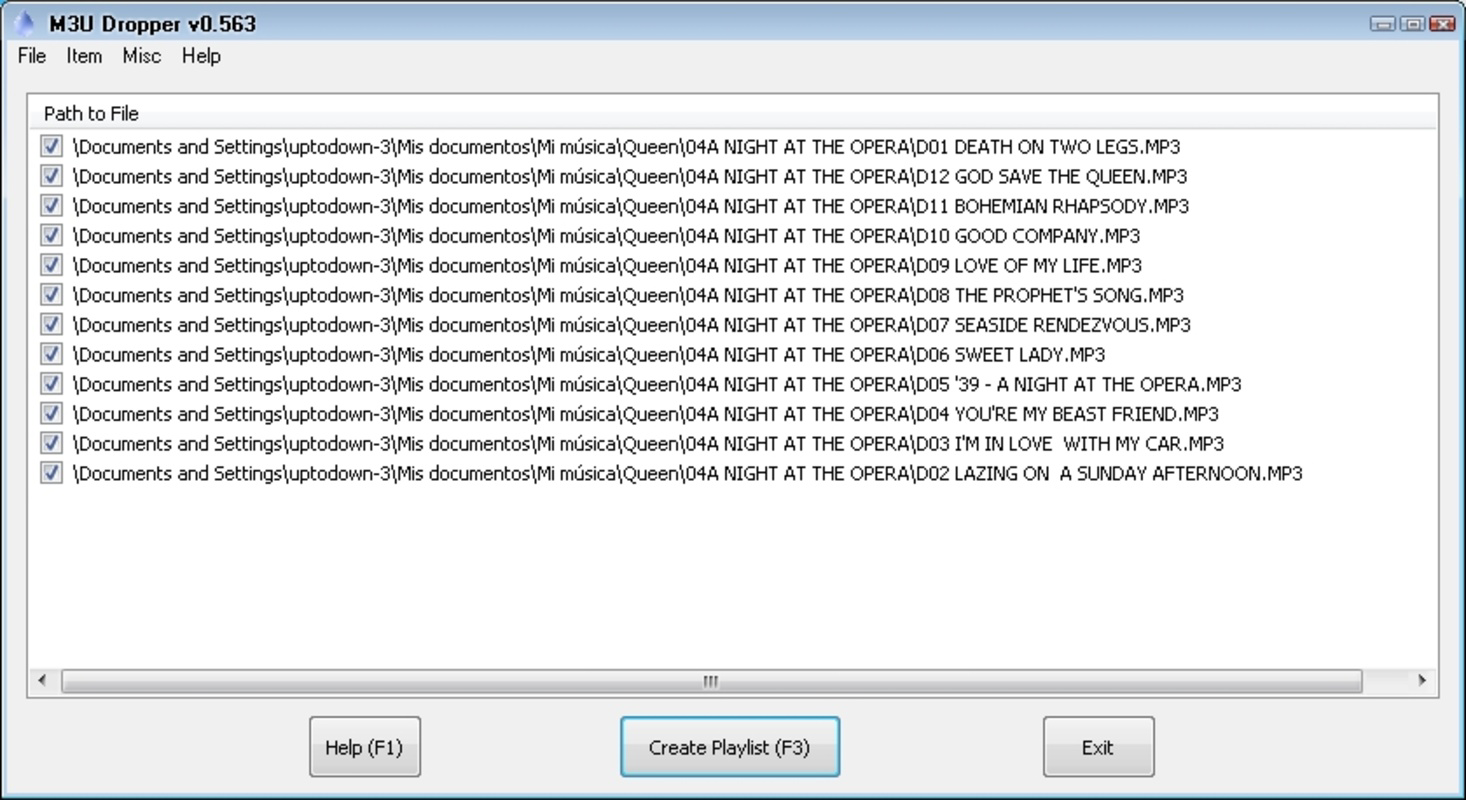
- Drag-and-Drop Playlist Creation: Users can simply drag audio files from their file system or streaming URLs directly into the application window to generate a playlist instantly. This eliminates the need for manual entry or complex configuration, streamlining the workflow for rapid playlist assembly.
- Flexible Track Rearrangement: Once songs are added, users can reorder tracks by dragging them into a preferred sequence. This functionality is ideal for crafting custom listening experiences, such as creating a thematic mix or optimizing track flow for events.
- Universal Media Player Compatibility: The generated M3U playlists are compatible with any media player that supports the standard M3U format, including VLC, Winamp, and others. This ensures users are not locked into a specific playback environment.
- Lightweight Design: At just 1.2 MB, the application consumes minimal system resources, making it suitable for use on older hardware or systems with limited processing power. It launches quickly and operates without background processes that could impact performance.
- Support for Local and Streamed Content: M3U Dropper accepts both local file paths and direct web URLs, allowing users to mix audio from their hard drive with content from online sources. This hybrid capability is especially useful for creating dynamic playlists that blend personal archives with live streams.
For example, a user preparing music for a live stream could drag in a selection of local tracks and supplement them with links to real-time audio feeds. Similarly, a student organizing a study playlist might combine downloaded lecture recordings with background music from a web source. The app’s simplicity ensures these tasks are completed in seconds, without requiring technical expertise.
Interface, UX & Performance
The user interface of M3U Dropper is intentionally minimal, prioritizing function over visual flair. It features a clean, single-window layout with a central drop zone where users can place files or URLs. Navigation is straightforward: drag items in, rearrange them as needed, and export the playlist with a single command. The lack of clutter contributes to a focused user experience, reducing cognitive load and minimizing the learning curve.
Although the developer did not list formal performance metrics, the app’s lightweight nature suggests it operates smoothly across a wide range of Windows systems. It is designed to launch quickly and respond instantly to user input, with no noticeable lag during drag-and-drop operations. Stability appears consistent, given its long-standing release history and minimal system footprint.
Responsiveness is maintained even when handling large playlists, as the application does not attempt to load or process audio files—only their metadata and paths. This design choice ensures that performance remains steady regardless of playlist size. The interface adapts well to different screen resolutions, though no specific accessibility features were mentioned.
Overall, the UX is optimized for efficiency, catering to users who prioritize speed and simplicity. The absence of tutorials or onboarding is justified by the app’s intuitive design, making it accessible even to non-technical users.
Platform Compatibility & Technical Requirements
M3U Dropper is designed exclusively for the Windows operating system. The application is compatible with Windows platforms, though specific version requirements were not listed by the developer. The file size is 1.2 MB, which indicates a compact footprint and fast installation process.
Given its lightweight nature and lack of dependency on external libraries, it is likely to run on most modern and legacy Windows systems. However, the developer did not specify minimum OS requirements, so users are advised to test compatibility on their specific hardware and software environment. No additional runtime dependencies were mentioned, suggesting the app is self-contained and ready to use upon installation.
As a desktop application, M3U Dropper does not support mobile platforms such as Android or iOS. Users seeking a mobile alternative will need to explore other tools. The app’s current version is 1.0, released on October 15, 2012, and remains free to download and use.
Pros and Cons
Pros
- Lightweight and fast-loading, ideal for low-resource systems
- Simple drag-and-drop interface with minimal learning curve
- Supports both local files and web-based audio streams
- Generates standard M3U playlists compatible with any media player
- Free to download and use with no hidden costs
Cons
- No official support for mobile platforms (Android, iOS)
- Minimal UI design; may appear outdated to modern users
- Developer did not provide detailed technical specifications or updates
- Limited to playlist creation—no audio playback or editing features
- Release date suggests no recent updates; potential compatibility concerns on newer Windows versions
FAQ
Is M3U Dropper safe to download and install?
Yes, the app is free and has been available since 2012. While no third-party security verification was provided, its long-standing presence and minimal system impact suggest it is safe for use on trusted devices.
Can I use M3U Dropper on Android or iOS?
No, M3U Dropper is designed exclusively for Windows. It is not available on mobile platforms such as Android or iOS.
Does M3U Dropper play music directly?
No, the app does not play audio. It only creates M3U playlist files that can be opened and played using any compatible media player.
Is M3U Dropper still being updated?
The developer did not provide information about current development or update frequency. The last known release was in 2012, so users should verify compatibility with modern Windows systems.
Can I edit the playlist after it’s created?
Yes, the app allows users to rearrange tracks within the playlist before exporting. Once saved, the playlist file can be manually edited using a text editor if needed.
Final Thoughts
M3U Dropper remains a reliable and efficient tool for anyone needing to create M3U playlists quickly and without complications. Its focus on core functionality—drag-and-drop playlist generation, track reordering, and universal compatibility—makes it a valuable asset for users who value simplicity and performance. While it lacks modern design elements and recent updates, its lightweight nature and free access ensure it remains relevant for specific use cases.
Those who frequently manage music collections, prepare audio for events, or work with multiple media players will find the app’s streamlined workflow highly beneficial. It’s not a full-featured media manager, but for its intended purpose, it delivers exceptional value with zero overhead.
Download M3U Dropper now


